For schools

One platform for the whole department’s assessment preparation.

Examly helps teachers across Biology, Chemistry and Physics build SQA-based assessments from a shared question bank, share their work with colleagues, and produce documents that carry your school’s branding.

The school’s subject permissions page where administrators choose which subjects each teacher can use.

Why a shared platform

Teachers each build their own assessments. Examly lets them build on a common foundation.

The same question bank, the same marking instructions and the same document format, for every teacher who has the subject.

Support teachers across departments

Biology, Chemistry and Physics teachers work from one place, at National 5 and Higher, with the subjects your school has chosen.

Share papers with colleagues

A paper shared with the school can be viewed and downloaded by colleagues who have the subject, while its author stays in control.

Consistency in assessment preparation

Shared papers, the same marking instructions and a single school cover page help assessments look and feel consistent.

Your school’s branding

Your school’s logo is printed on the cover of every Word export, set once by a school administrator.

Sharing between colleagues

Good work stays in the department.

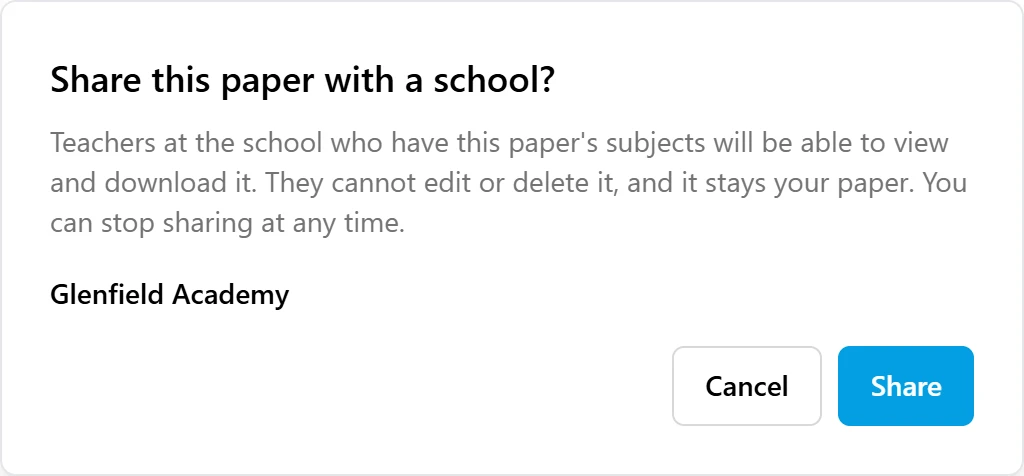
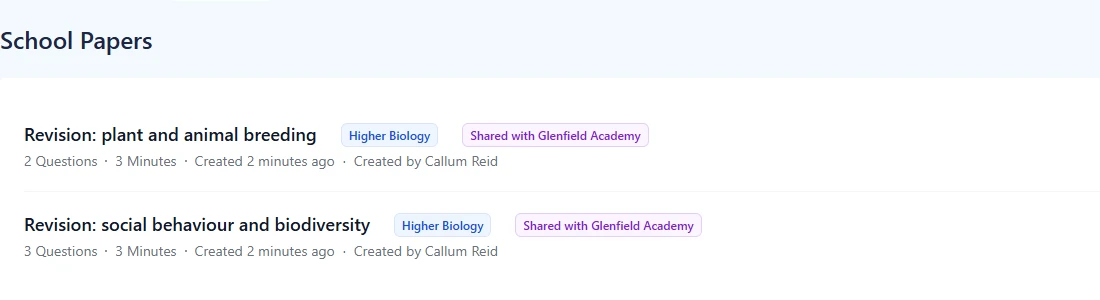
A teacher can share one of their papers with their school. Colleagues who teach the subject find it under School Papers, where they can view and download it. They cannot edit or delete it, and it stays the author’s paper.
  • Sharing is between colleagues within a school
  • The author can stop sharing at any time
  • Colleagues can favourite a shared paper to find it again quickly
A dialog offering to share the paper with a school, explaining that colleagues can view and download it but cannot edit or delete it.
The School Papers page listing a paper shared by a colleague.
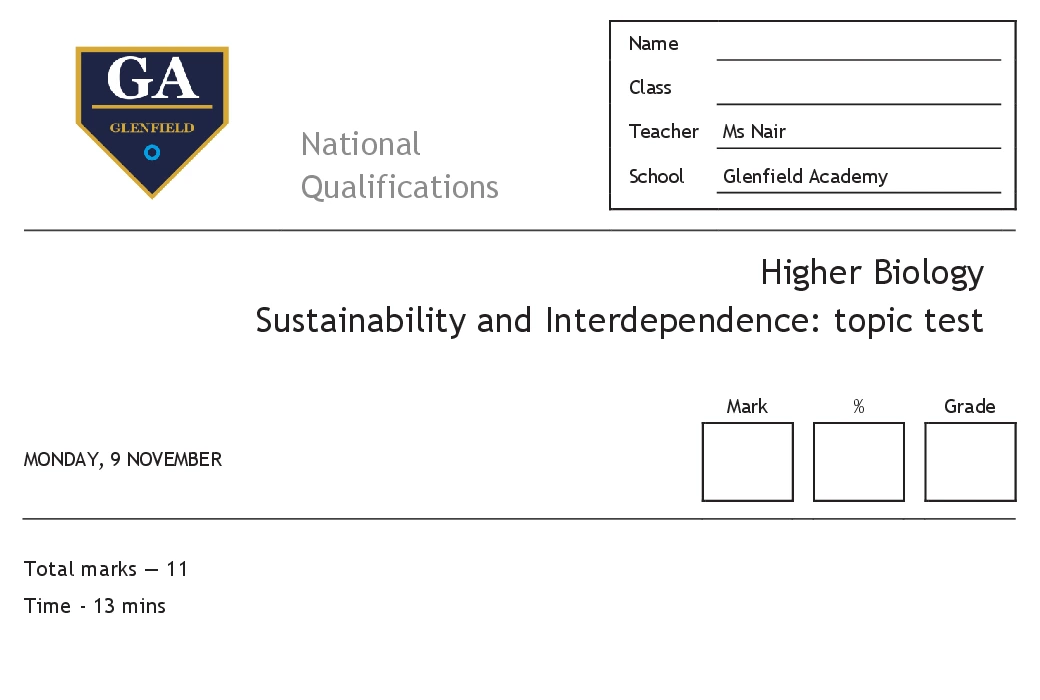
An exported cover page with the school's crest, teacher, school name, assessment title and boxes for mark, percentage and grade.
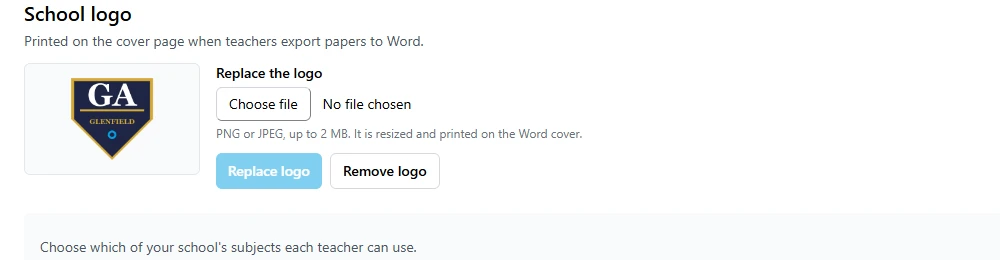
The School Details page where a school administrator uploads, replaces or removes the school logo.

School branding

Every export carries your school’s name and logo.

A school administrator uploads the school’s logo once. It is printed on the cover page of every Word export made by teachers at the school, alongside the school name, the teacher’s name and the assessment details.

  • Logo uploaded as a PNG or JPEG, and replaced or removed by an administrator
  • Teachers use the logo but cannot change it
  • Each teacher chooses whether their own name appears on the cover

Administrator control

You decide who uses which subjects.

Your school has access to the subjects it has chosen. A school administrator then adds teachers and chooses which of those subjects each teacher can use.
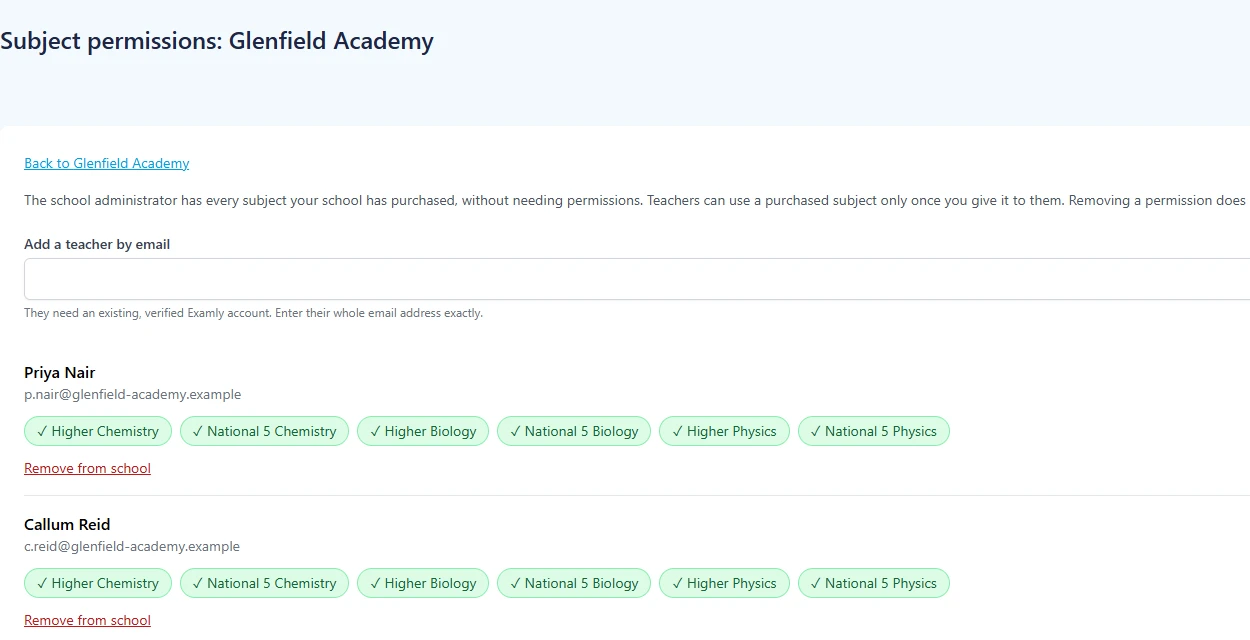
  • Add a teacher by their email address (they need an existing, verified Examly account)
  • Choose subject by subject which teachers can use each one
  • Remove a teacher from the school when they leave
The subject permissions page listing teachers at the school, with the subjects each teacher can use shown as green tags.

Getting access

How schools get started.

Examly is licensed by school. Pricing is provided as a quotation, based on your school’s requirements and the subjects you want.

  1. Enquire

    Tell us about your school and the subjects you teach.

  2. See a demonstration

    We show you the question bank, the paper builder, sharing and Word exports.

  3. Receive a quotation

    Based on your school’s requirements and subject coverage.

  4. Set up your teachers

    Your administrator adds teachers and chooses the subjects each can use.

Questions from school leaders

Common questions

Currently National 5 and Higher Biology, Chemistry and Physics. Additional SQA subjects and Advanced Higher are planned but not yet available. See Subjects.

Sharing inside Examly is between colleagues within a school. Teachers can export a paper to Word and use it with their classes in whatever way their school chooses.

No. A school administrator manages the logo. Teachers can use it on their exports but cannot change it.

Pricing is quotation-based. Request a quotation and tell us which subjects you are interested in. See Pricing.

Ready to build your next assessment in minutes?

See Examly in action, or ask about access for you or your school.

Already using Examly? Log in