
2017 →
Questions from 2017 onwards
3 subjects
Biology, Chemistry and Physics
2 levels
SQA National 5 and Higher
Every question
comes with its marking instructions
Subjects & qualifications
Built for the SQA sciences, at National 5 and Higher.
Questions from 2017 onwards, each with its marking instructions, ready to search, preview and build into resources.
Biology
National 5Higher
Questions from 2017 onwards, each with marking instructions.
Chemistry
National 5Higher
Questions from 2017 onwards, each with marking instructions.
Physics
National 5Higher
Questions from 2017 onwards, each with marking instructions.
Coming next
We’re planning to add more SQA subjects and Advanced Higher. These are not available yet. Tell us what you’d like to see first.
More SQA subjects Advanced Higher
Features
Everything you need to go from question bank to finished resource.
Find the right questions, check them against the marking instructions, build your resource and share it with your school.
SQA question bank
Past SQA questions for Biology, Chemistry and Physics at National 5 and Higher, from 2017 onwards.
BiologyChemistryPhysicsNational 5Higher2017 onwards
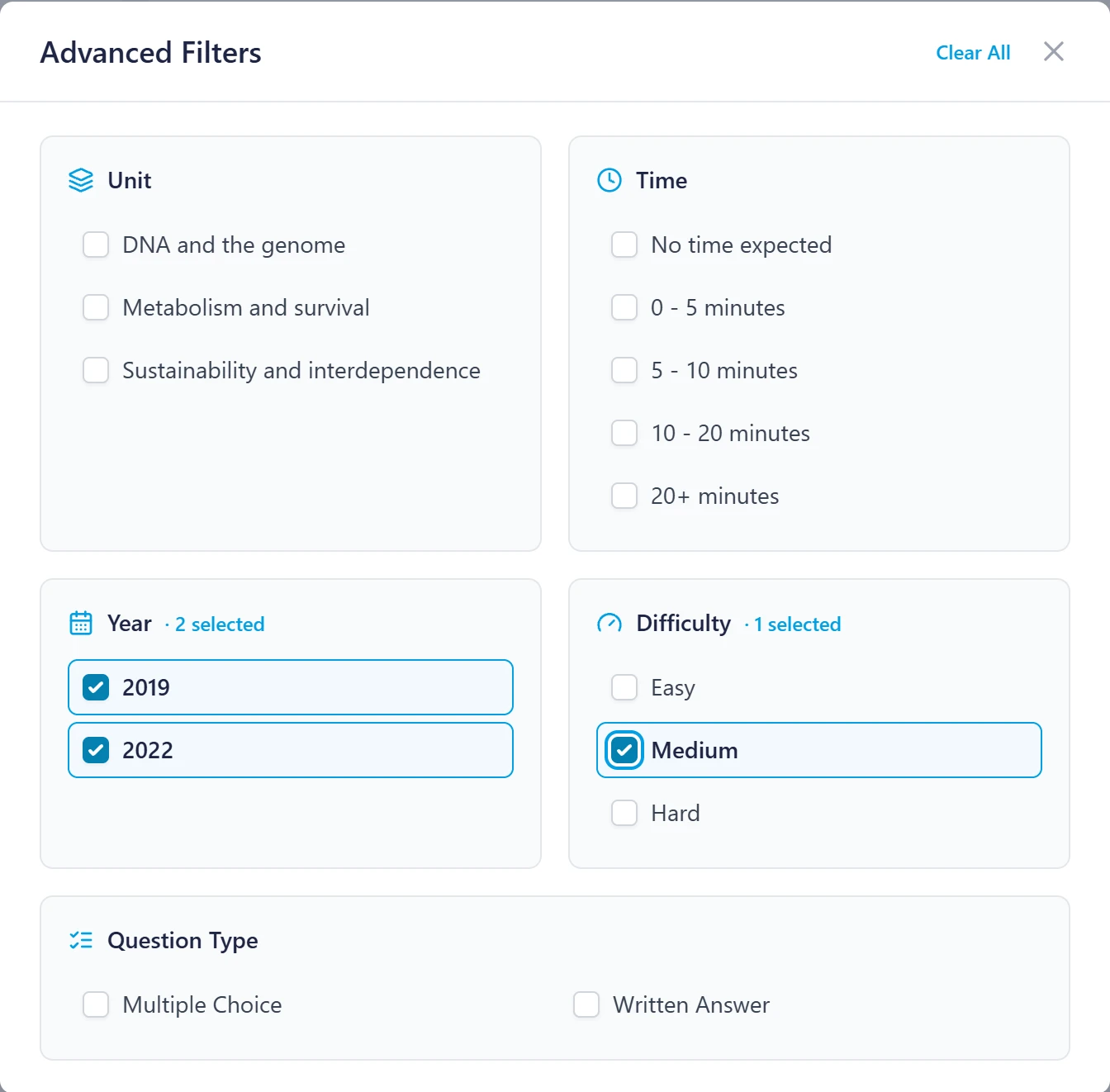
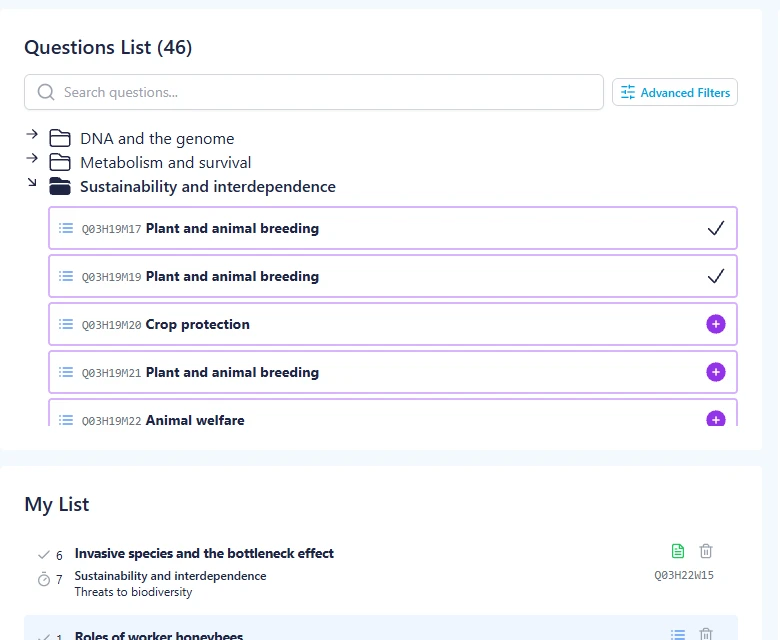
Advanced filtering and keyword search
Narrow the bank by unit, time, year, difficulty and question type, or search by keyword. Active filters show as chips, so you always know what you’re looking at.
Question previews
See each question as it will print, with its marks, expected time, unit and topic alongside.

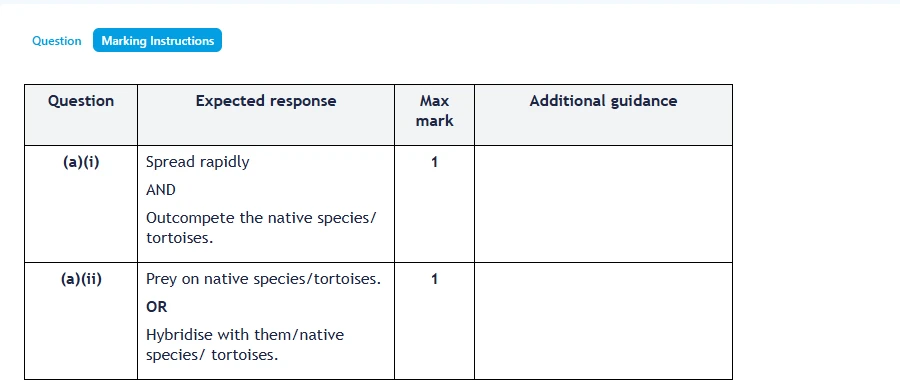
Marking instructions, one click away
Switch from the question to its marking instructions in the same view. Every question has them.
Custom resource and paper builder
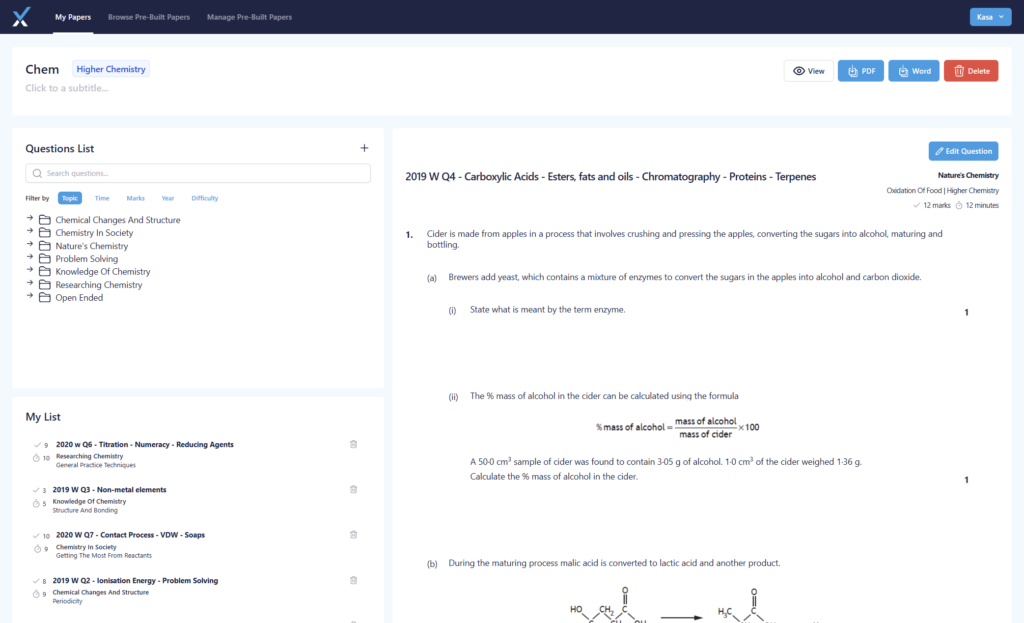
Build unit tests, exam-preparation papers, homework and class assignments from the questions you choose. Add a title, sub-title and description, and see the paper take shape in your list.
School collaboration
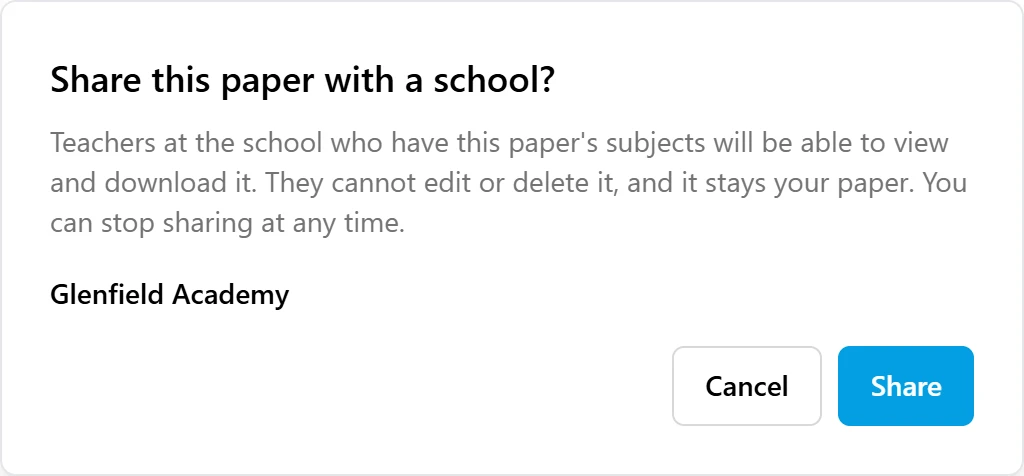
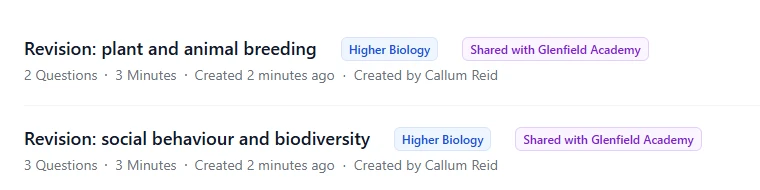
Share a paper with your school. Colleagues who teach the subject can view and download it, and it stays yours.
Favourite papers
Keep the papers you come back to in one place, and copy a favourite into My Papers to adapt it.
Professional Word exports
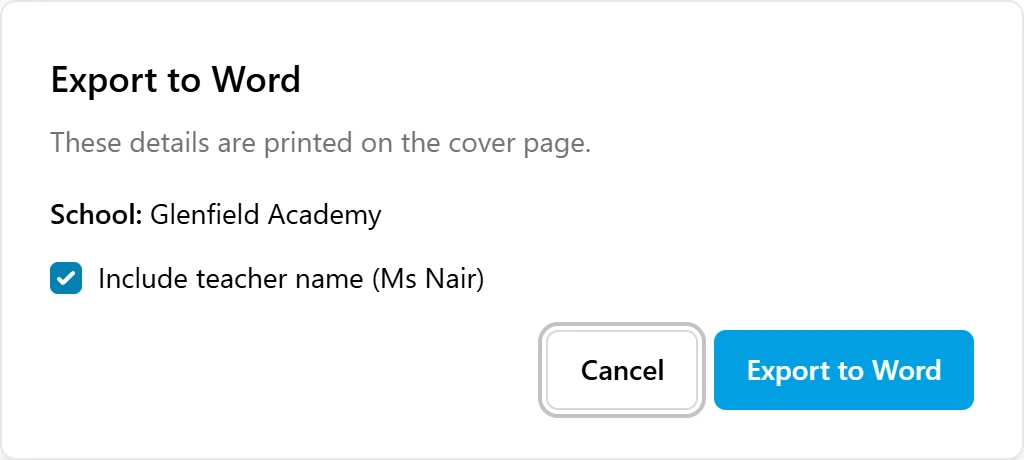
Download a ready-to-edit Word document with a customisable cover page: your school’s logo, teacher name, assessment title, marks and time. Choose the paper, the paper with marking instructions, or the marking instructions on their own.
PaperPaper with marking instructionsMarking instructions only
How Examly works
From question bank to Word document in five steps.
Everything happens in one place, so you can go from “I need a test on bonding” to a finished paper in one sitting.
Filter by unit, time, year, difficulty and question type, or search by keyword.
Open a question to see it as it will print, then switch to its marking instructions.
Add the questions you want to your paper and watch the list build up.
Set the title, sub-title and description, and choose whether your name appears on the cover. Your school’s logo is added for you.
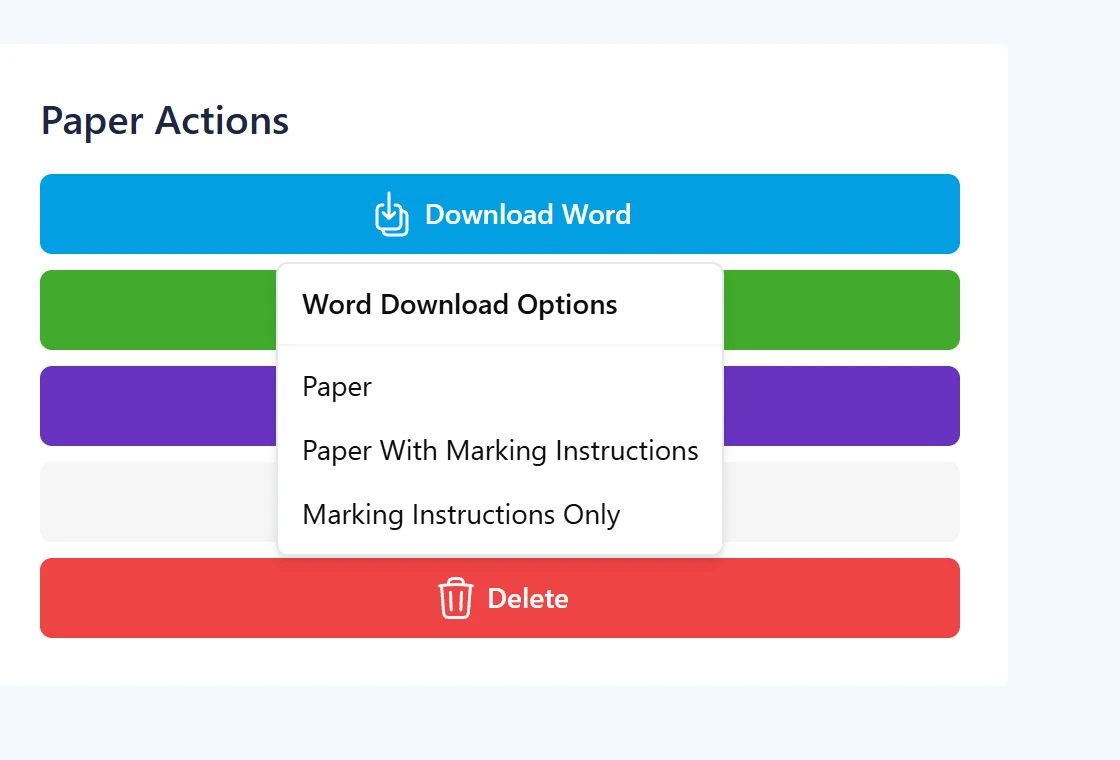
Download the paper, the paper with marking instructions, or the marking instructions alone.
Word exports
Professional documents your classes can use straight away.
Examly builds a properly formatted Word document, so you can print it as it is or edit it further in Word.
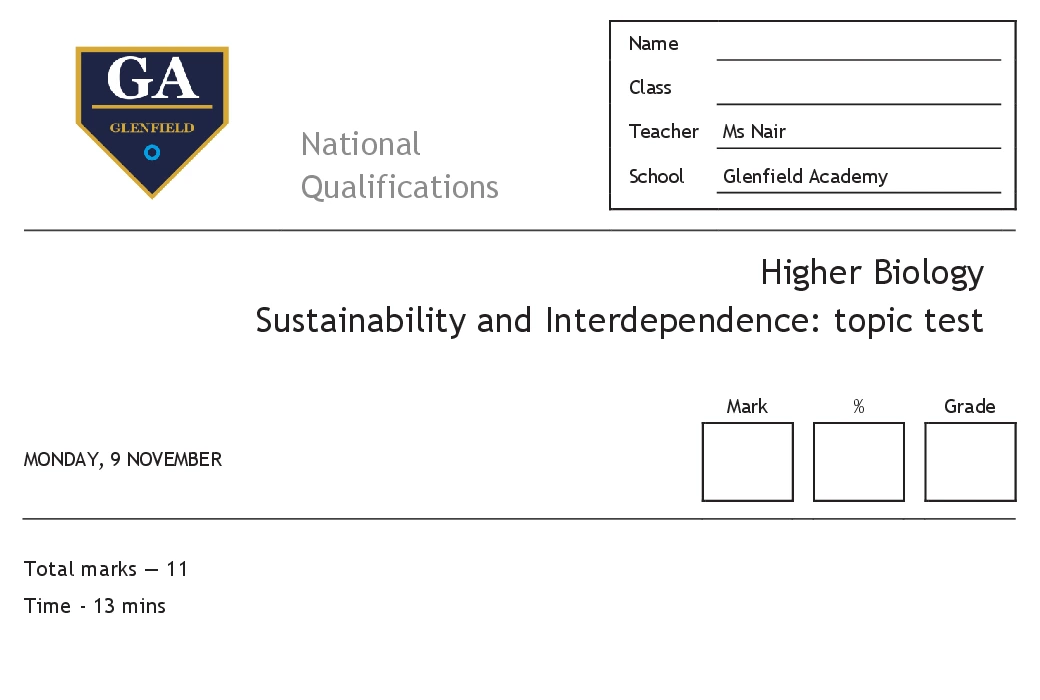
Customisable cover pages
Teacher name, school, title, total marks and time are filled in for you, with boxes for mark, percentage and grade.
Your school’s logo and branding
Your school’s logo is printed on the cover of every export, set once by your school administrator.
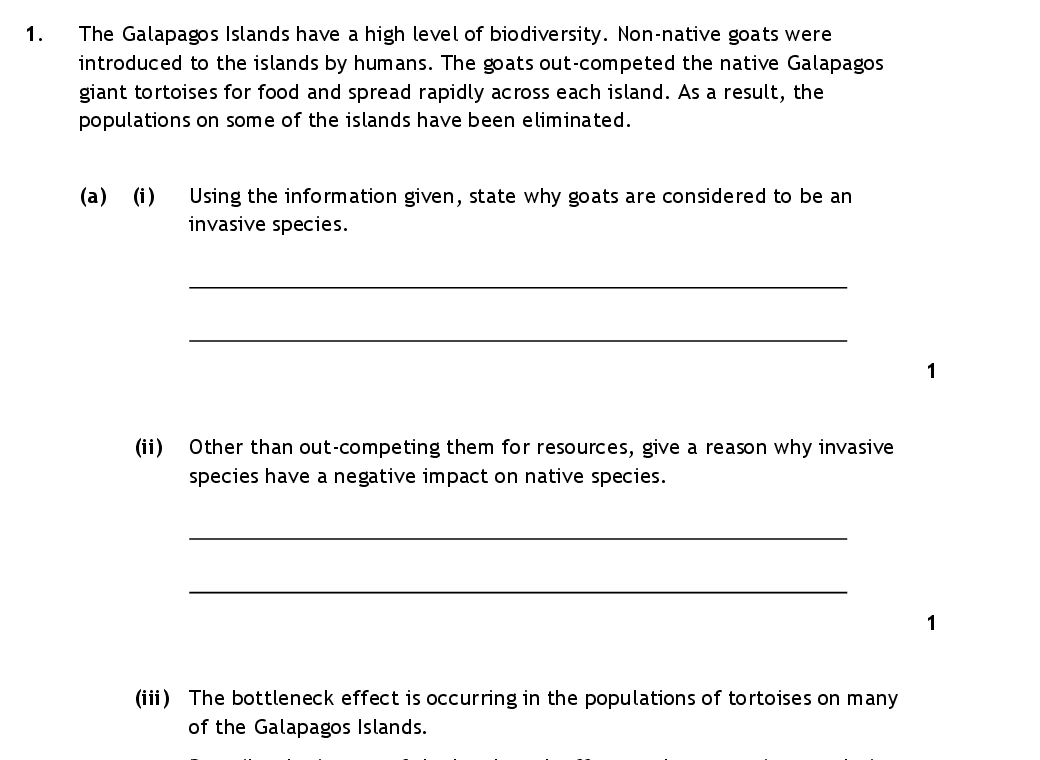
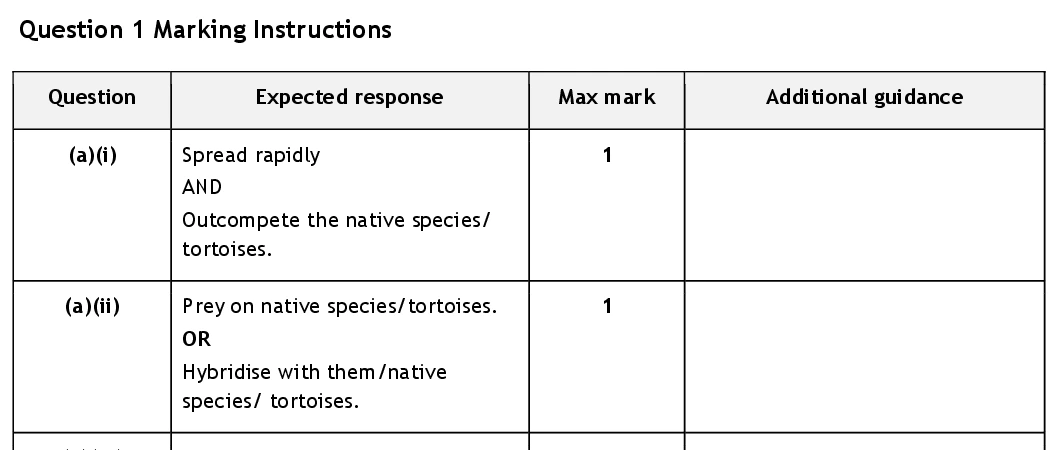
Three ways to export
The paper, the paper with marking instructions, or the marking instructions alone, including a multiple-choice answer list.
PaperPaper with marking instructionsMarking instructions only
Pages shown are real Examly exports of questions from the question bank, using a sample school.
For teachers
Spend your time teaching, not building papers.
Examly takes the searching, checking and formatting off your plate.
Save preparation time
Find questions, check their marking instructions and assemble the paper in one place, then export a finished document.
Create targeted assessments
Choose questions by unit, year, difficulty and type to match what your class has just covered.
Reuse your best questions
Save favourites and copy papers into My Papers, so a good test can be adapted and used again.
Prepare differentiated resources
Copy a paper and adjust its questions to make versions that suit different groups in your class.
For schools
Resources your whole department can share.
Examly is licensed by school. Choose the subjects you need, and give each teacher access to the ones they teach.
Shared resources
Teachers can share papers with their school. Colleagues who have the subject can view and download them, while the author stays in control.
Consistency across departments
Shared papers and a single school logo on every cover help resources look and feel the same across the school.
Collaboration between teachers
Colleagues can build on one another’s work, starting from papers that have already been shared in the department.
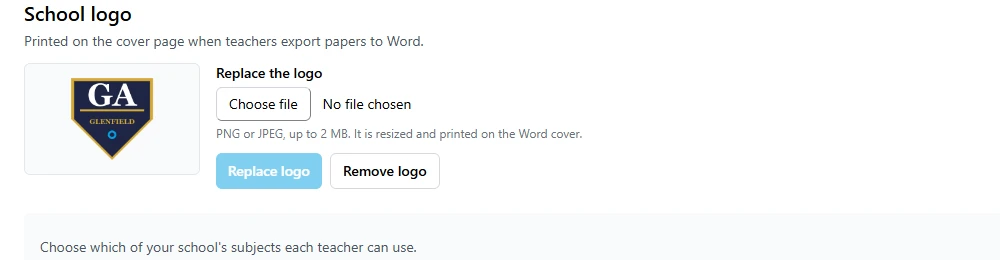
Your school’s branding
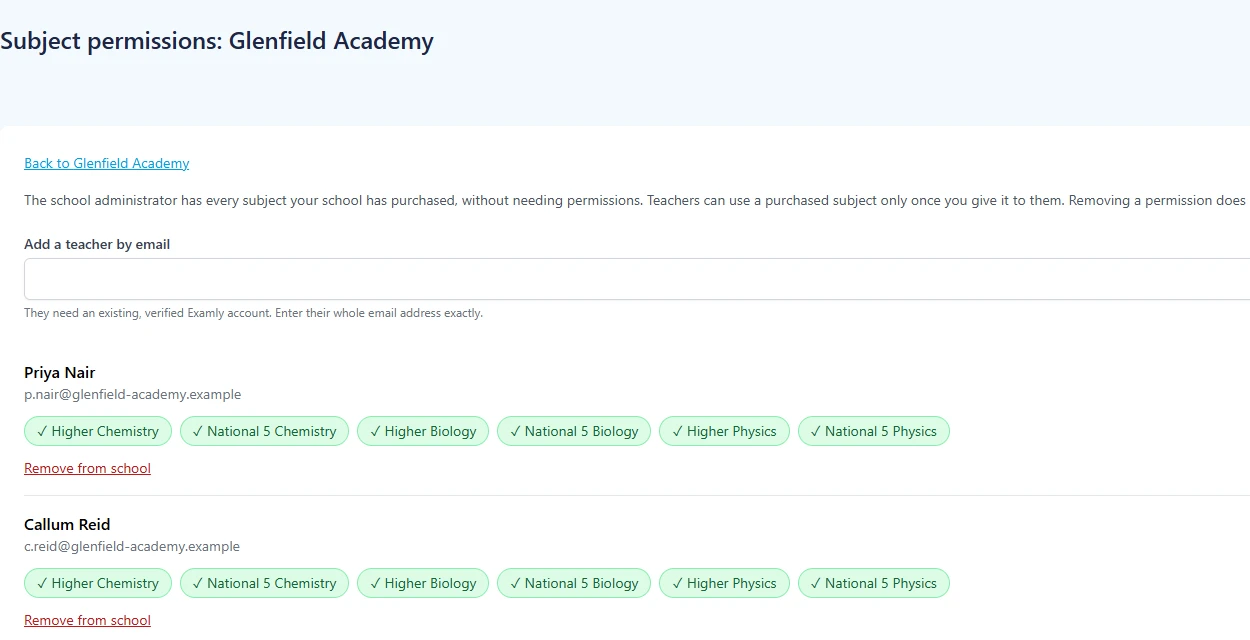
School administrators upload the school logo once, and it appears on the cover of every Word export. They also choose which subjects each teacher can use.
Testimonials
Don’t take our word for it. See what other teachers say.
I’ve had the same tests for a few years and haven’t created any new resources as it takes so long. With Examly, this all happens with a few clicks.
S Asif St Roch’s Secondary
A great resource for quick creation of documents. Great for creating and editing papers with detailed filters that allow you to find the perfect question.
G Flannagan Shawlands Academy
Very easy to use tool that can help quickly create revision or work booklets. Being able to share these through Teams is a great function.
M Wimpenny Park Mains High School
The website is easy to navigate and can really help teachers create resources that are differentiated with ease.
B McKenna Park Mains High School
Examly is a very useful tool to help create multiple resources and can be moderated very easily by editing the papers you create.
A Kilpatrick St Roch’s Secondary
Examly is a tool that will help reduce the time it takes for teachers to create and edit resources of exam standard. It will definitely be a must have!
H Din Educational Consultant